Labels Designs

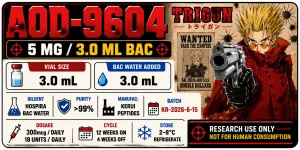
Do you know how I get the exact measurements for an A4 paper? Like if I want the label to be 20x15 mm.
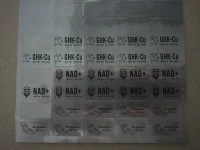
I used https://www.onlinelabels.com/ to order the sheets, and they let you use their label design software for free with purchase. So all I have to do is place the image and hit print.
 

Attachments

  • 20260625_174628.webp
    20260625_174628.webp
    381.3 KB · Views: 2
I used https://www.onlinelabels.com/ to order the sheets, and they let you use their label design software for free with purchase. So all I have to do is place the image and hit print.
I do pretty much the same I use Mr. Label or something similar (avery) and download the template into canva especially if my sheets are already precut. Ive also gotten the full sheets specifically for laser printers and used Canva to insert text & custom size my design and just copied and pasted to fill an A4 sized sheet. Ive found laser works better since I use glossy paper for my fragrance decanting glass bottles. Even did them for my own spice jars.
 

Attachments

  • Screenshot_20260625_224010_Gallery.webp
    Screenshot_20260625_224010_Gallery.webp
    172 KB · Views: 2
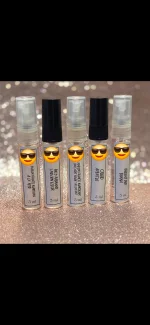
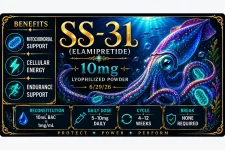
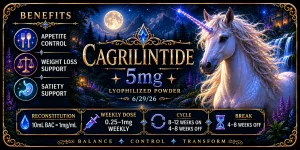
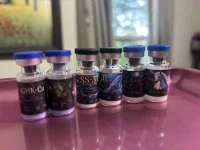
I’ve learned a few things about label design after my first trial run and wanted to share! I am printing using matte labels (Avery mailing labels for 10mL, 1”x1.75” from online labels.com for 3mL) & have an HP color laser printer & an Epson inkjet. Shown labels are my “Mythical creatures” collection for 3mL vials using my laser printer, which had much sharper results thank my inkjet.

My mistakes:
-Getting too intricate with the design: what looks great on screen may not translate to a teeny canvas
-Trying to fit too much text on the label. Labels are very small!
-Printing with a mostly dark colored background makes text harder to read

Although I still love these labels, think they’re beautiful even with my printer being streaky and see no need to change them, I need to use my magnifier app to read most of the text, and small text is blurry. I know what it says and have digital copies if I forget in a few years’ time. Next designs will be a lot different, and I’ll likely use either my much simpler graphic-based Canva designs or use much simpler Ai designs.

Digital:
1783035219329.webp
1783035251068.webp
1783035296581.webp

Reality:
1783035406853.webp
 
I’ve learned a few things about label design after my first trial run and wanted to share! I am printing using matte labels (Avery mailing labels for 10mL, 1”x1.75” from online labels.com for 3mL) & have an HP color laser printer & an Epson inkjet. Shown labels are my “Mythical creatures” collection for 3mL vials using my laser printer, which had much sharper results thank my inkjet.

My mistakes:
-Getting too intricate with the design: what looks great on screen may not translate to a teeny canvas
-Trying to fit too much text on the label. Labels are very small!
-Printing with a mostly dark colored background makes text harder to read

Although I still love these labels, think they’re beautiful even with my printer being streaky and see no need to change them, I need to use my magnifier app to read most of the text, and small text is blurry. I know what it says and have digital copies if I forget in a few years’ time. Next designs will be a lot different, and I’ll likely use either my much simpler graphic-based Canva designs or use much simpler Ai designs.

Digital:
View attachment 29555
View attachment 29556
View attachment 29557

Reality:
View attachment 29558

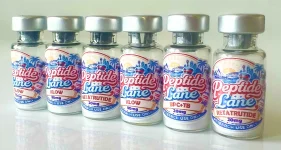
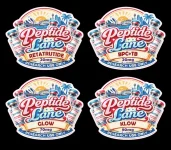
Totally agree mate, its easy to get carried away and over complicate a design, only to have it not reproduce well at the tiny print size.
This recent custom order was about the limit.
Still turned out nice, but wouldn't go any smaller.
 

Attachments

  • IMG_1707.webp
    IMG_1707.webp
    408.3 KB · Views: 1
  • IMG_1726.webp
    IMG_1726.webp
    150.9 KB · Views: 1
Totally agree mate, its easy to get carried away and over complicate a design, only to have it not reproduce well at the tiny print size.
This recent custom order was about the limit.
Still turned out nice, but wouldn't go any smaller.
Those turned out FANTASTIC! And I love the shape!!
 

Trending Topics

Forum Statistics

Threads
18,962
Posts
197,896
Members
63,082
Newest
RichardPumps
Back
Top Bottom