I’ve set up Coinbase, my bank won’t let me use debit so I need to choose checking or savings.Guide: How to Buy and Pay with USDC (Solana Network)
What is this about?
• This guide shows you how to easily buy the stablecoin USDC, store it in your own
wallet, and use it for payments.
• ���� Made for beginners who want a fast, low-cost payment method without price
fluctuations.
Your Setup
• �� Coin: USDC
• � Network: Solana (SOL)
• ����� Exchange: Coinbase
• ������ Wallet: Exodus
Why this combination?
• �������� USDC = stablecoin
o BTC & ETH fluctuate → inconvenient for payments.
o USDC = stable, easy to buy with euros or dollars, and stays at $1.00.
• ��������� Solana as the network
o Lightning Fast: Transactions confirm in seconds.
o Ultra Cheap: Fees are typically less than $0.01 (compared to dollars on
Ethereum).
o Coins are network-bound: Make sure you use USDC-Solana.
• ����� Coinbase as exchange
o �� High liquidity and easy on-ramps for fiat currency.
o ��� Very simple interface for first-time buyers.
Key Terms
• �������� Stablecoin: A coin pegged to the USD.
• � USDC: A regulated stablecoin, backed 1:1 by dollar reserves.
• ��� Exchange: The marketplace (Coinbase) where you buy crypto with euros or US
dollars.
• ��� Wallet: Your own digital safe (Exodus) that you control completely.
• ��������� Solana: The high-speed blockchain that USDC is moving on.
• ���� Transaction Fee: The tiny fee paid to the network, paid in SOL.
Step-by-Step Guide
������ Step 1: Set up your Exodus Wallet
1. Download Exodus (iOS/Android).
2. Open the app → your wallet is created automatically.
3. ������ Write down your 12-word recovery phrase and store it safely offline.
��� Without the recovery phrase, your money is gone. Never share it with anyone.
Step 2: Deposit money to Coinbase
1. Create a Coinbase account and verify your ID.
2. Deposit euros (via iDEAL/SEPA) or US dollars (via Debit/ACH/Wire). Funds usually
arrive in minutes or a few business days depending on the method. (EDIT: Coinbase
has been HORRIBLE about holds lately, so once you deposit your cash you may
need to wait a few days before proceeding past the next step.)
Step 3: Buy USDC
1. Tap Buy crypto and choose USDC.
2. Enter the amount of euros or dollars you want to spend -> Review Order.
3. Tap Buy now. Your USDC will appear under My assets.
Step 4: Send USDC to Exodus
1. Open Exodus → Tap USDC → Tap Receive.
2. Crucial: Ensure the network selected is Solana. Copy your address (it will be a long
string of random letters and numbers).
3. In Coinbase → Tap Send crypto:
o Paste your Exodus address.
o Select USDC as the asset.
o Select Solana as the network (Always double-check this!).
o Check the gas fee.
o Tap Send now.
4. Your USDC will arrive in Exodus almost instantly.
Step 5: Buy SOL (for transaction fees)
• To send USDC out of your Exodus wallet later, you need a tiny bit of SOL to pay the
network fee.
• Buy a small amount of SOL (even $2–$5 is enough for hundreds of transactions) on
Coinbase and send it to your Exodus Solana address.
�� Done! Bob’s your Uncle!
You now have USDC + a little SOL in your own self-custody wallet—ready for safe, instant,
and independent payments.
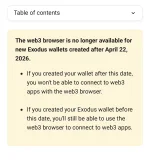
I also set up both MetaMask and exodus. Exodus just opens into an account. I never got a recovery phrase and can’t find it in settings.
Will the Coinbase gas fee and exodus sol purchase come out of your usdt holding or do you need extra cash for that?